How to Remove an OpenTable Review: A Restaurant Owner's Guide
How to Remove an OpenTable Review: A Restaurant Owner’s Guide
You can get an OpenTable review removed, but there is no self-serve delete button for restaurants. OpenTable’s moderation team handles all removal decisions internally, and they only act on reviews that violate the platform’s Terms of Use. If a review is false, offensive, or tied to a fraudulent booking, you have a real shot. If it is just a harsh opinion from a genuine diner, removal is unlikely.
Here is what to do right now:
- File a dispute immediately. Submit your removal request through GuestCenter or email reviews@opentable.com with your reservation details and a clear explanation of the policy violation.
- Preserve all evidence. Screenshot the review with timestamps, pull the reservation ID and POS records, and log everything in a single folder before anything changes.
- Post a calm, professional public response while the dispute is pending. It signals to future diners that you take concerns seriously, and it limits the review’s damage in the meantime.
If the review contains demonstrably false factual claims and is causing measurable harm, legal escalation is also on the table. Under U.S. defamation law, a false statement of fact that damages a business can support a civil claim. Attorney-led services like Repvive handle exactly these situations, combining platform dispute submissions with legal pressure when the evidence warrants it.
Key Takeaways
Removing an OpenTable review requires evidence, the right submission channel, and a clear policy violation — and attorney-led services like Repvive significantly increase success rates for cases that meet legal thresholds.
| Point | Details |
|---|---|
| No self-serve delete option | Restaurants must submit disputes through GuestCenter or reviews@opentable.com for moderation review. |
| Evidence is the deciding factor | Reservation IDs, POS records, timestamps, and staff statements determine whether a dispute succeeds. |
| Legal threshold matters | Defamation requires a false statement of fact, publication, fault, and measurable damages under U.S. law. |
| Timelines vary widely | Clear violations resolve in days; contested cases take 2–6 weeks; legal escalation runs several months. |
| Repvive’s pay-per-removal model | Attorney-led removal with no upfront fees; you pay only after a review is successfully removed. |
Table of Contents
- Why OpenTable reviews hit differently than Yelp or Google
- What OpenTable’s policy actually allows them to remove
- How OpenTable’s moderation and removal process works in practice
- DIY checklist: how to prepare and file an OpenTable review dispute
- When does a bad OpenTable review cross the line into legal territory?
- How an attorney-led removal service works and what to expect
- What to expect after you file: timelines and realistic outcomes
- How to prevent fake or malicious OpenTable reviews going forward
- An honest take on what actually moves the needle
- Repvive’s attorney-led removal service: what to send and what happens next
- Sources
- FAQ
Why OpenTable reviews hit differently than Yelp or Google
OpenTable reviews are embedded directly in the reservation flow. When a diner searches for a restaurant on OpenTable or through a Google search that surfaces OpenTable listings, your star rating and recent reviews appear right next to the “Book a Table” button. That placement is unusually powerful: a diner deciding whether to book sees your rating at the exact moment they are about to commit.
That proximity to the booking decision is what separates OpenTable from most other platforms. On Yelp or Google, a potential customer might read reviews separately from the act of reserving. On OpenTable, the review and the reservation button are on the same screen.
Academic research from Harvard Business School confirms what most operators already sense: higher online ratings correlate with measurable increases in customer demand for local businesses. A single star drop can translate into real lost covers, not just hurt feelings.
Rating impact: Research from HBS shows that increases in online ratings correlate with measurable increases in customer demand for local restaurants, underscoring why even a single damaging review deserves a prompt, structured response.
A few other differences worth knowing:
- Verified diners only. OpenTable reviews come from people who actually booked through the platform, which adds credibility but also means a fake review tied to a fraudulent booking is a clear policy violation.
- Visibility in reservation flows. Reviews surface in OpenTable’s own search results and in external search, including Google’s rich results for restaurant listings.
- Reply access through GuestCenter. Unlike some platforms, OpenTable gives restaurants a direct channel to respond publicly, and that response appears alongside the review in the listing. See how platform features compare if you manage presence across multiple booking systems.
- Removal is moderated, not self-serve. You flag a review; OpenTable decides. That distinction shapes everything about the strategy below.
What OpenTable’s policy actually allows them to remove
OpenTable will remove a review when it violates the platform’s Terms of Use. The key word is violates. A review that is simply negative, unfair, or one-sided does not automatically qualify. The platform’s review guidelines identify specific categories of content eligible for removal.
Policy grounds that commonly succeed:
- False factual claims. A review stating your restaurant was closed when reservation records prove it was open, or claiming a dish contained an allergen when it demonstrably did not.
- Fraudulent bookings. A review tied to a reservation that was never honored, never made, or was clearly fabricated to post negative content.
- Coordinated attacks or competitor sabotage. Multiple reviews from accounts with no booking history, posted in a short window, with suspiciously similar language.
- Offensive or hateful content. Slurs, hate speech, or content that targets staff personally rather than the dining experience.
- Privacy violations. Content that reveals personal information about staff or other guests.
- Completely off-topic content. A review that has nothing to do with the dining experience at your restaurant.
Cases that usually don’t qualify for removal:
- A diner who had a genuinely bad experience and describes it accurately, even harshly.
- An opinion-based complaint (“the vibe was off,” “the server seemed rude”) with no false factual claim.
OpenTable’s own guidance makes clear that restaurants should never contact a guest directly to request removal or alteration of a review. That prohibition is firm: OpenTable’s support documentation states that all removal requests must go through official channels, and direct guest contact on this topic can violate platform policy and invite public backlash.
One practical note: when OpenTable rejects a review following a dispute, the platform may label it in the restaurant dashboard. That label is visible to you but the outcome for the public-facing listing depends on the moderation decision. Document every step regardless.
How OpenTable’s moderation and removal process works in practice
Once you submit a dispute, here is what actually happens:
- You submit the report through GuestCenter, by emailing reviews@opentable.com, or through the restaurant support portal. Include the review in question, your reservation records, and a clear statement of which policy the review violates.
- OpenTable’s moderation team reviews the submission. They check the review against platform policy, cross-reference reservation data, and assess the evidence you provided.
- A decision is made: the review is removed (labeled “Rejected” in your dashboard), kept as-is, or flagged for further review. OpenTable does not typically share detailed reasoning with the restaurant.
- If rejected, the review is removed from public view. If kept, you can respond publicly and, in some cases, escalate through legal channels.
What to include in your submission:
- The exact URL or review ID
- Reservation confirmation number and booking name
- Date and time of the reservation
- POS transaction records or payment receipts
- Staff witness statements if relevant
- Screenshots of the review with visible timestamps
- Any evidence of fraudulent booking patterns (e.g., account with no prior history, multiple similar reviews)
Evidence that consistently strengthens a case: reservation logs with timestamps, POS records, CCTV timestamps corroborating staff accounts, and original screenshot files with metadata intact. Platform enforcement hinges on verifiable evidence rather than argument alone, per OpenTable’s review support documentation.
Timeline: Clear policy violations (hate speech, obvious fraudulent bookings) can be resolved in a few days. Contested or borderline cases typically take 2–6 weeks. Cases that require legal escalation, including subpoenas to identify anonymous reviewers, can run several months.
DIY checklist: how to prepare and file an OpenTable review dispute
Evidence checklist
Before you file anything, gather:
- Reservation ID and booking name
- Date, time, and party size from the booking record
- POS transaction records or payment receipts for that table
- Email confirmation sent to the guest
- CCTV or camera timestamps covering the relevant period
- Staff statements (written, dated, signed)
- Screenshots of the review with full URL and visible timestamp
- The reviewer’s OpenTable profile URL
- Any prior communications with the guest (email, phone, in-person notes)
Filing your dispute: step by step
- Log into GuestCenter and navigate to the Reviews section. Locate the review and use the report/flag function.
- Alternatively, email reviews@opentable.com directly. Use a clear subject line: Review Dispute — [Restaurant Name] — [Reservation Date] — [Review ID if available].
- Attach your evidence packet as a single organized PDF or folder. Label each file clearly (e.g., “POS_Receipt_TableX_Date.pdf”).
- State the specific policy violation in plain language. Do not editorialize; stick to facts and policy references.
- Request confirmation that your dispute has been received and is under review.
- Log the submission date and set a follow-up reminder for 10 business days.
Sample dispute email
Subject: Review Dispute — [Restaurant Name] — Reservation [Date] — [Review ID]
Dear OpenTable Moderation Team,
I am writing to dispute a review posted on [date] by [reviewer username or profile link]. The review contains a false factual claim: [describe the specific false claim in one sentence]. Our reservation records confirm [state the contradicting fact, e.g., “the guest was seated and served at 7:14 PM on [date], as shown in the attached POS receipt and GuestCenter booking log”].
This review appears to violate OpenTable’s Terms of Use regarding [cite the specific policy: false factual claims / fraudulent booking / offensive content]. I have attached the following evidence: [list attachments].
Please confirm receipt and advise on next steps.
[Your name, title, restaurant name, contact information]
Sample public response (post while dispute is pending)
Keep it under three sentences. Calm, factual, and an invitation to resolve offline. For a deeper look at how response strategy shapes your overall reputation, this guide on restaurant reputation responses covers the nuances.

Pro Tip: Save your original screenshot files, not just exports or crops. Original image files retain metadata (device, timestamp, file creation date) that can serve as evidence if the dispute escalates to legal review. Name files consistently: "ReviewScreenshot_[Platform][Date][ReviewID].png."
When does a bad OpenTable review cross the line into legal territory?
Most negative reviews, even unfair ones, do not meet the legal threshold for defamation. But some do, and knowing the difference saves you from both under-reacting and over-spending.
Under U.S. law, defamation requires four elements: a false statement of fact (not opinion), publication to a third party, fault (at minimum negligence, and actual malice for public figures), and damages. For a restaurant, that typically means a review that states something factually false, that other people can read, and that you can connect to a measurable loss of business.
The First Amendment protects opinions, hyperbole, and even harsh criticism. “The worst meal I’ve ever had” is protected speech. “This restaurant gave me food poisoning on [specific date]” when no such incident occurred and health records contradict it is a factual claim that could support a defamation case.
Situations where legal escalation may be appropriate:
- A review contains a provably false factual claim and you can document measurable business loss tied to it.
- You have evidence of a coordinated attack, such as multiple fake reviews from accounts with no booking history.
- The review includes doxxing, threats, or personal information about staff.
- A competitor is demonstrably behind the review campaign.
Common legal tools and what they involve:
- Cease-and-desist letter: A formal demand from an attorney that the reviewer retract the false statement. Low cost, sometimes effective, and creates a paper trail.
- Subpoena to identify anonymous reviewers: Where lawful, an attorney can petition a court to compel OpenTable to disclose reviewer identity. This is a multi-month process with no guaranteed outcome.
- Civil defamation suit: The full legal route. Requires documented damages, a clear false factual claim, and willingness to invest in litigation costs and timeline.
- Attorney preservation letter: Sent to the platform to preserve evidence before it is deleted, critical if litigation is anticipated.
Legal escalation is most effective when the review contains provably false factual claims and the business has documented measurable damages. Reputation services that combine legal claims with platform escalation tend to secure higher removal rates for those cases. See legal options for fake reviews for a practical breakdown of U.S. thresholds.
This article provides general information, not legal advice. Consult a licensed attorney for guidance specific to your situation.
How an attorney-led removal service works and what to expect
A professional removal service like Repvive does more than submit a flag. The process is structured around building the strongest possible case before anything is submitted to the platform.
How the workflow typically runs:
- Case intake. You submit the review, your reservation records, and any supporting evidence. The team assesses whether the review meets legal and policy thresholds for removal.
- Legal review and claim construction. Attorneys analyze the review against platform policy and U.S. defamation law, then draft a customized claim. Generic takedown requests fail; narrowly tailored claims citing specific policy violations and legal standards succeed at a higher rate.
- Submission to the platform. The claim goes to OpenTable through official channels, with legal framing that moderation teams take more seriously than a standard restaurant flag.
- Follow-up and escalation. If the platform does not act, the service can escalate: attorney letters to the reviewer, subpoenas to identify anonymous accounts, or civil action where warranted.
- Outcome and billing. With Repvive’s pay-per-removal model, you pay only after a review is successfully removed. No upfront fees.
What Repvive specifically offers:
- Attorney-led, customized claims for each review
- Pay-per-removal pricing with no upfront cost
- Real-time tracking dashboard so you can monitor case status
- Monitoring subscriptions (RepWatch and RepBoost) for ongoing alerts and new review collection
- Experience across restaurants, medical practices, law firms, auto shops, and other local businesses
Red flags to watch for with any outside vendor:
- Promises of guaranteed removal with no explanation of how they achieve it
- Demands for full payment upfront before any work is done
- Advice to contact the reviewer directly (this violates platform policy)
- No attorney involvement in the claim construction process
If removal is unlikely because the review does not meet policy or legal thresholds, a credible service will tell you that and recommend suppression instead: building positive review volume and professional responses to push the negative content lower in search results.
What to expect after you file: timelines and realistic outcomes
Filing a dispute does not guarantee removal. Here is the honest range of outcomes:
- Removed (Rejected in dashboard). The review is taken down. This happens when the evidence is clear and the policy violation is unambiguous.
- No action. The review stays. OpenTable’s team reviewed it and found no policy violation. You can respond publicly and consider legal escalation if the facts support it.
- Visible label change. In some cases, OpenTable may flag or label a review without fully removing it.
- Reviewer self-deletes. Sometimes a professional public response or a cease-and-desist prompts the reviewer to remove the content themselves.
| Scenario | Typical Timeline | Recommended Next Step |
|---|---|---|
| Clear policy violation (hate speech, fraudulent booking) | A few days | Monitor dashboard; confirm removal |
| Contested or borderline case | 2–6 weeks | Follow up at 10 business days; consider professional service |
| Legal escalation (subpoena, civil action) | Several months | Retain attorney; document all damages |
| Suppression strategy (removal unlikely) | Ongoing | Build positive review volume; respond professionally |
Follow-up cadence:
- Day 10: If no response, follow up with OpenTable support referencing your original submission date and case number.
- Week 6: If still unresolved, assess whether the evidence supports legal escalation or whether suppression is the more practical path.
- Ongoing: Document every communication, every submission, and every response from the platform. That paper trail matters if you eventually pursue legal action or hire a service.
The benefits of removing negative reviews extend beyond the immediate listing: a removed review also disappears from search results that aggregate OpenTable content, which compounds the reputational recovery.
How to prevent fake or malicious OpenTable reviews going forward
The best defense against a damaging review is a review profile that makes one bad entry look like an outlier. That requires both operational habits and active monitoring.
Operational prevention:
- Train front-of-house staff to document dispute-prone interactions in real time: note the table number, time, staff involved, and a brief factual summary of any complaint or incident.
- Verify reservation details at the point of seating. Discrepancies between the booking name and the guest’s ID are worth noting, especially for large parties or unusual requests.
- Keep a simple incident log, even a shared Google Sheet, so that if a negative review appears later, you can cross-reference it against your records immediately.
Reputation tactics:
- Send a post-dining follow-up email to verified guests asking for honest feedback. Satisfied diners rarely volunteer reviews without a prompt; dissatisfied ones often do.
- Keep follow-up requests factual and non-coercive: “We’d love to hear about your experience” is fine. Offering incentives for positive reviews violates platform policy.
- Respond to every review, positive and negative. A restaurant that engages publicly signals confidence and care.
Monitoring tools:
Repvive’s RepWatch and RepBoost products send alerts when new reviews appear across platforms, so you catch a damaging review within hours rather than weeks. A regular manual audit, once a week at minimum, is also worth building into your operations calendar.
| Approach | Best For | Limitation |
|---|---|---|
| Platform dispute (DIY) | Clear policy violations with strong evidence | Slow for borderline cases; no guarantee |
| Professional public response | Legitimate negative reviews that can’t be removed | Does not remove the review |
| Attorney-led removal service | False factual claims, coordinated attacks, legal threshold cases | Cost; not every review qualifies |
| Suppression (positive volume) | Reviews unlikely to be removed | Takes time to shift overall rating |
When suppression is the right call: if a review does not meet removal thresholds and legal action is disproportionate, the most reliable path is volume. Ten new verified positive reviews dilute one negative one. Pair that with a professional public response and you have addressed the damage without a prolonged dispute.
An honest take on what actually moves the needle
The conventional wisdom on review removal tends to land in one of two unhelpful places: either “just respond professionally and move on” or “sue them.” Neither is usually right.
Most restaurant owners who contact a removal service do so after weeks of trying the platform’s standard dispute process and getting nowhere. What they often discover is that their original submission was too vague, missing a key piece of evidence, or framed as a complaint rather than a specific policy citation. OpenTable’s moderation team is not reading between the lines. They are checking whether your submission maps to a defined policy violation. If it does not, the review stays.
The cases that actually get removed share a pattern: a specific false factual claim, a reservation record that directly contradicts it, and a submission that names the exact policy being violated. That is not complicated, but it requires discipline and documentation that most operators do not have ready when a bad review lands.
Legal escalation is genuinely useful in a narrower set of cases than most people assume. A cease-and-desist letter costs relatively little and sometimes prompts a retraction. A full defamation suit is a different calculation entirely: it requires documented damages, a clear false statement of fact, and a willingness to invest in a process that can run a year or more. For most restaurants, the suppression strategy, building positive volume and responding professionally, delivers better ROI than litigation unless the review is causing serious, measurable harm.
What I see work consistently: treat the evidence-gathering step as seriously as you would treat a health inspection. Document everything in real time, not after the fact. That discipline is what separates a successful dispute from a frustrating one.
Repvive’s attorney-led removal service: what to send and what happens next
If you have a review that meets the threshold for removal, whether through platform policy or legal grounds, Repvive’s process is built to handle exactly that.
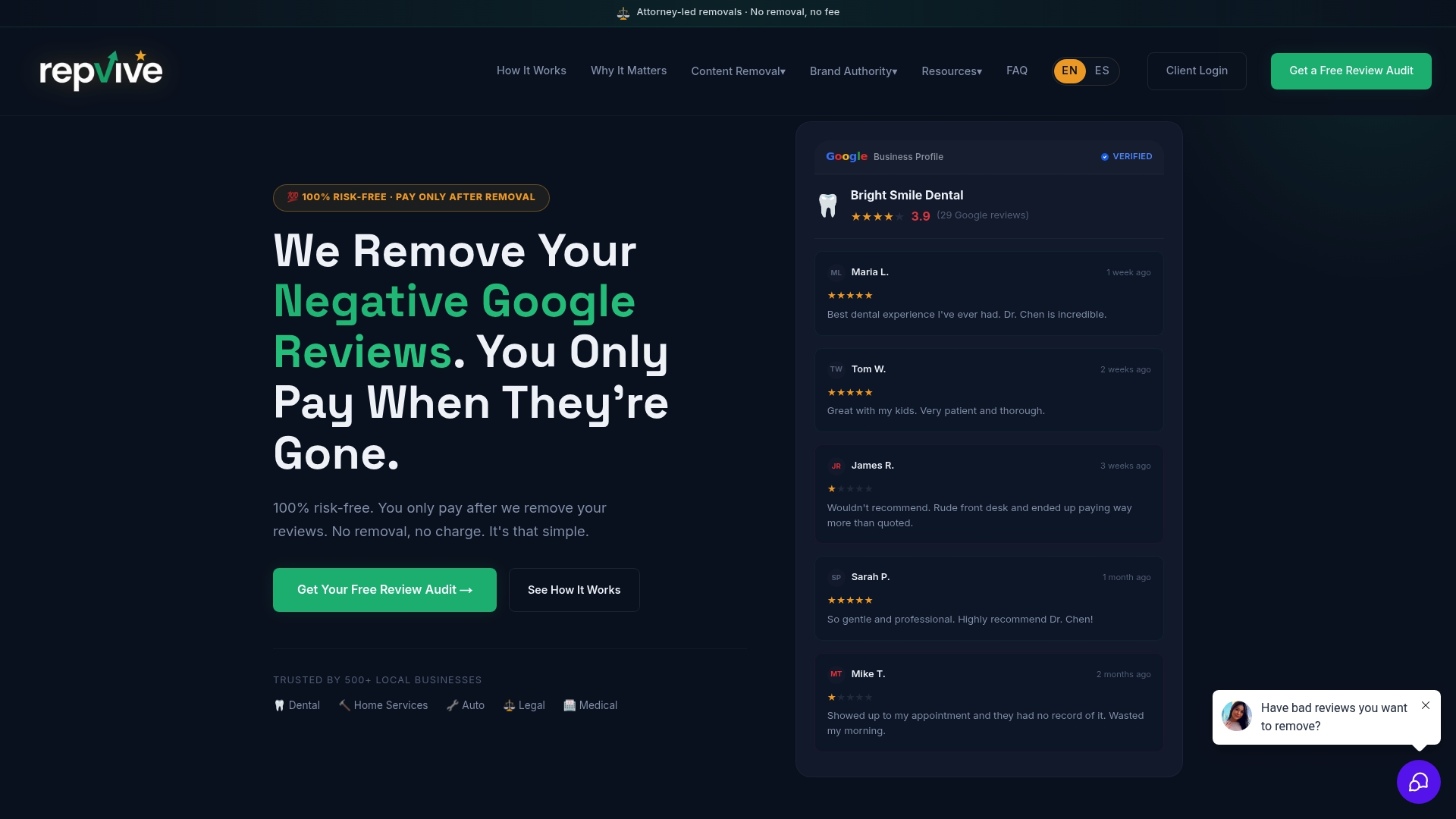
Repvive’s team reviews your case at no upfront cost. You pay only when a review is successfully removed. The intake is straightforward: send a copy of the review, your reservation details (booking ID, date, party size), any supporting evidence (POS receipts, screenshots, staff statements), and your contact information. The legal team assesses whether the review qualifies for attorney-led removal, builds a customized claim, and submits it through the appropriate channel with legal framing that standard dispute submissions lack.
For ongoing protection, RepWatch and RepBoost monitor your review presence across platforms and alert you to new content before it compounds. If a review cannot be removed, the team will tell you plainly and recommend a suppression path instead.
Request a free assessment at Repvive to find out whether your review qualifies. No upfront fee. If removal succeeds, you are billed per removal. If it does not, you owe nothing.
Sources
Use these official links to verify platform rules, legal definitions, and service options:
This article is general information, not a substitute for advice from a qualified lawyer. Consult a qualified legal professional about your own circumstances before acting on anything here.
FAQ
Can a restaurant remove an OpenTable review directly?
No. OpenTable does not give restaurants a self-serve delete option. You must submit a dispute through GuestCenter or email reviews@opentable.com, and OpenTable’s moderation team makes the final decision.
Can a diner delete their own OpenTable review?
Yes. Diners can delete their own reviews through their OpenTable account. They can also delete their account entirely through the iOS app, though some privacy requests require contacting privacy@opentable.com.
How do I edit a review I left on OpenTable?
Diners can edit their own reviews through their OpenTable account settings. Restaurants cannot edit a guest’s review; they can only respond publicly or file a dispute if the review violates platform policy.
What makes an OpenTable review eligible for removal?
Reviews that contain false factual claims, hate speech, privacy violations, or content tied to a fraudulent booking are the most common grounds for removal. Negative opinions about a genuine dining experience generally do not qualify.
When should I hire an attorney-led service instead of filing a DIY dispute?
If your dispute has already been denied, if the review contains provably false factual claims causing measurable harm, or if you suspect a coordinated attack, an attorney-led service like Repvive is worth the assessment. The pay-per-removal model means no financial risk if removal does not succeed.