GMB Review Removal: What to Do and When to Hire Help
GMB Review Removal: What to Do and When to Hire Help
TL;DR:
- You cannot delete another person’s Google Business Profile review yourself; Google removes reviews only when they violate content policies. To remove a review, business owners must flag it or file a formal report, with attorney-led services available when evidence-based removal becomes necessary. Google controls review removal, and honest negative opinions are generally protected unless based on false factual claims.
You cannot delete another person’s Google Business Profile review yourself. Google removes reviews only when they clearly violate its content policies, and the fastest legitimate path is a correctly filed report through the Reviews Management Tool or a well-documented escalation backed by solid evidence.
Two things you can do in the next 30 minutes:
- Flag the review directly from your Business Profile in Google Search or Maps, selecting the most accurate policy violation category.
- Capture evidence now — screenshot the review, save the reviewer’s profile URL, and pull any transaction records (invoices, appointment logs, email threads) that prove the reviewer was never your customer or acted in bad faith.
When self-reporting stalls or the review involves provably false statements, Repvive’s attorney-led removal service is the recommended next step, with a pay-per-removal model and no upfront fees.
Table of Contents
- Who actually controls Google Business Profile reviews?
- Which reviews Google will actually remove
- How to report a review from Search, Maps, and the Reviews Management Tool
- Evidence checklist: what to gather before you submit
- If Google declines your request: appeals and escalation
- When removal isn’t possible: how to respond and what to avoid
- When to use an attorney-led removal service
- Key Takeaways
- Repvive handles the cases that stall in the self-service channel
- Official links and further reading
- FAQ
Who actually controls Google Business Profile reviews?
Only Google can remove a review from your Business Profile. The reviewer can delete their own post, and you can flag it for Google’s review team, but you have no direct delete button. Business owners cannot remove other people’s reviews — that control sits entirely with Google, and removal happens only when a review violates its content policies.
The legitimate removal channels are:
- In-product Report feature — the flag icon next to any review in Search, Maps, or your Business Profile dashboard.
- Reviews Management Tool — Google’s dedicated portal for submitting, tracking, and appealing removal requests.
- Legal removal requests — a formal legal notice or court order directed at Google, used when a review contains provably defamatory content.
- Court orders — one of the few instruments Google honors quickly in clear defamation cases.
Common myths worth killing immediately:
- “I can pay Google to remove a review.” Google has no paid removal program.
- “Enough reports from friends will force a takedown.” Volume of reports does not override evidence quality.
- “Any negative review qualifies for removal.” Honest negative opinions, even harsh ones, are protected expression.
Pro Tip: Mass-reporting a review from multiple accounts or writing an emotionally charged appeal actually hurts your case. Google’s automated systems flag coordinated reporting as suspicious, and a human reviewer reading an emotional complaint is less likely to act than one reading a calm, evidence-mapped submission.

Which reviews Google will actually remove
Google’s prohibited and restricted content policy defines the categories that qualify for removal. Self-assessing before you report saves time and increases your success rate.
- Spam and fake content — A competitor posts five one-star reviews from accounts created the same week with no prior activity.
- Off-topic content — A reviewer complains about a neighboring business or a national policy unrelated to your location or service.
- Restricted content — A review promotes a competitor’s business or includes a referral link.
- Illegal content — A review includes copyrighted text copied verbatim from another source without permission.
- Terrorist or extremist content — Review text glorifies violence or promotes a designated terrorist organization.
- Sexually explicit content — A review includes graphic sexual language unrelated to any legitimate service complaint.
- Offensive or hateful content — A review uses slurs targeting a protected class (race, religion, gender, disability).
- Harassment or threats — A review names a specific employee and threatens physical harm.
- Personal and confidential information — A review includes a customer’s home address or phone number.
- Impersonation — Someone posts as a former employee or a known public figure to lend false credibility to the complaint.
- Conflict of interest — A current employee posts a five-star review without disclosing the relationship, or a business owner reviews a direct competitor.
The line that matters most: opinion versus false statement of fact. “The service was terrible and I’ll never return” is an opinion. “This dentist forged my insurance claim” is a factual assertion. Google generally leaves opinions alone, even brutal ones. False factual claims that cause measurable harm are where legal remedies become relevant.
How to report a review from Search, Maps, and the Reviews Management Tool
Option A: Google Search or Business Profile panel
- Search your business name in Google.
- Click “Reviews” in your Business Profile panel.
- Find the review and click the three-dot menu next to it.
- Select “Report review.”
- Choose the policy category that best matches the violation.
- Submit the form.
Option B: Google Maps
- Open Google Maps and search your business.
- Select your listing and open the “Reviews” tab.
- Find the review, tap the three-dot menu, and select “Report review.”
- Complete the form and submit.
Option C: Reviews Management Tool (recommended for tracking and appeals)
- Go to the Reviews Management Tool and sign in with the Google account that manages your Business Profile.
- Confirm the correct business location.
- Select the review you want to report.
- Choose the most accurate violation category from the dropdown.
- Submit and note the case ID.
Status definitions you’ll see in the tool:
- Decision pending — Google is evaluating the report; typical window is 2–14 days, with clear violations often resolved within a week.
- Report reviewed — no policy violation found — Google’s automated or human review did not find a qualifying violation; you can submit a one-time appeal.
- Escalated — check your email — a human reviewer is handling the case; watch your inbox for follow-up.
- Removed — the review has been taken down.
Pro Tip: Before you report, screenshot the review with a visible timestamp and save the reviewer’s profile URL. Reviewer accounts and duplicate posts can disappear within days, and once they’re gone, your evidence package loses its anchor. Automated systems check the category you select first, so picking the wrong one is the single most common reason legitimate reports fail.
Evidence checklist: what to gather before you submit
Strong evidence is what separates a removal that sticks from one that gets auto-rejected. Capture everything as soon as a suspicious review appears — accounts can vanish fast.
Core documentation:
- Screenshot of the review with the full text, star rating, and visible date
- Reviewer’s profile URL and a screenshot of their review history
- Your business’s transaction records (invoices, appointment logs, booking confirmations) showing the reviewer was never a customer
- Email or chat logs if you had any communication with the reviewer
- Photos or documents proving ownership or control of the business being reviewed
- Links showing the same review text duplicated across multiple platforms (evidence of coordinated spam)
Tailored evidence by violation type:
- Fake review: New account with no prior reviews, no profile photo, no local activity, and a review posted at 2 AM on the day your competitor launched a promotion.
- Conflict of interest: LinkedIn or social media profile showing the reviewer works for a direct competitor.
- Impersonation: Documentation that the named “employee” or “customer” does not match any record in your system.
- Spam: Multiple reviews posted within hours from accounts with identical writing patterns or IP-adjacent timing.
Precise category mapping in your removal claim is what Google’s reviewers are looking for — not the strength of your frustration.
If Google declines your request: appeals and escalation
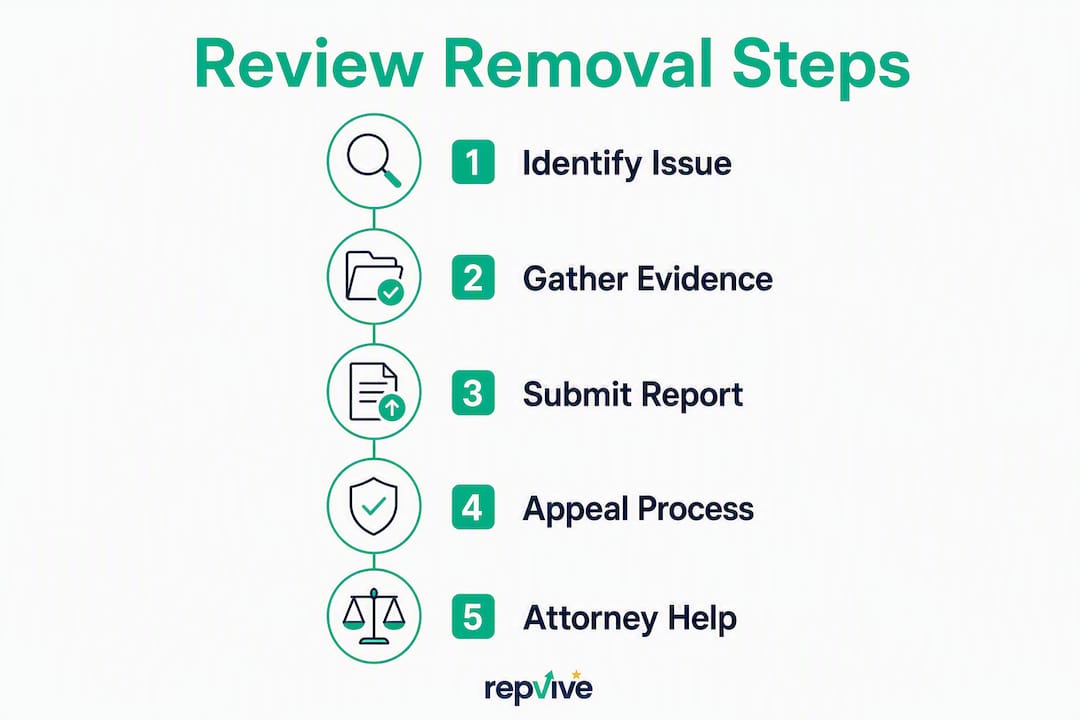
A rejection from the initial automated review is not the end. The Reviews Management Tool offers a one-time appeal once a report is marked “no policy violation found.”
How to use the appeal:
- Open the Reviews Management Tool and locate the rejected report.
- Select “Appeal” next to the decision.
- In the appeal form, add new evidence or clarify how the review maps to a specific policy category — do not simply resubmit the same information.
- Include your case ID, the reviewer’s profile URL, and a concise policy-to-evidence mapping paragraph.
Realistic timelines: Automated rejections happen within hours. Human appeals typically take several days to a few weeks. Success rates improve significantly when the appeal introduces evidence not present in the original report.
Community escalation is the next step when the appeal also fails. The Google Business Profile Community forum has Product Experts who sometimes escalate clear-cut cases internally. Post your case with the case ID, screenshots, and profile links. Two precautions: keep the post factual and do not include any personally identifiable information about the reviewer, since the forum is public and anything you disclose there is visible to everyone.
When removal isn’t possible: how to respond and what to avoid
A review that survives every appeal is not the end of your reputation. How you respond publicly often matters more to prospective customers than the review itself.
Three response templates:
- Acknowledgment and resolution offer: “Thank you for sharing this. We’re sorry the experience didn’t meet your expectations. Please contact us directly at [email] so we can make it right.”
- Correction and clarification: “We’ve reviewed our records and cannot find a transaction matching this description. We take every concern seriously and invite you to reach out directly so we can investigate.”
- Neutral factual response: “Our records show this service was completed on [date] per the agreed scope. We welcome the opportunity to discuss any concerns directly.”
What not to do:
- Never threaten the reviewer publicly or in private messages — it escalates the situation and can expose you to legal liability.
- Do not attempt to get the review removed through fake DMCA claims; Google and courts treat this as abuse of process.
- Avoid mass-reporting from multiple accounts — it flags your listing for suspicious activity.
- Never post a fake positive review to “balance” a negative one; Google’s spam detection catches this regularly.
When legal action makes sense: If a review contains provably false statements of fact that are causing measurable business harm, defamation counsel is worth consulting. A court order is one of the few instruments Google honors quickly, but the bar is high: you need documented financial harm, clear falsity, and a reviewer who can be identified. For guidance on responding to a potentially defamatory review before escalating to litigation, start there.
Pro Tip: The fastest way to dilute a damaging review is to generate a steady stream of genuine new ones. A single three-star review buried among forty five-star reviews does far less damage than that same review sitting alone on a thin profile.
When to use an attorney-led removal service

DIY reporting works for straightforward cases. It starts to break down when the situation involves repeated coordinated attacks, proven impersonation, false factual claims with documented revenue impact, or appeals that have stalled despite solid evidence.
Signs it’s time to bring in professional help:
- You’ve submitted a well-documented report and appeal, and both were rejected without explanation.
- Multiple fake reviews appeared in a short window, suggesting a coordinated campaign.
- The review contains specific false factual claims you can disprove with records.
- The reviewer is impersonating a former employee or a known public figure.
- The negative reviews are measurably affecting your local search ranking or conversion rate.
Repvive’s process is built around the cases that stall in the self-service channel. The legal team constructs a customized claim for each review, mapping the specific content to the applicable Google policy category and applicable legal standards. That claim goes through direct escalation channels rather than the standard public reporting queue. The pay-per-removal model means you pay only after a review is confirmed removed — no upfront fees, no retainer.
The real-time tracking dashboard shows case status at every stage, so you’re not left guessing whether anything is happening. For business owners who’ve already exhausted the Reviews Management Tool and need a documented, legally grounded escalation, that combination of legal expertise and transparent tracking is what separates a reputable service from the $125–$500 flat-fee operations that often use risky tactics like false DMCA filings or automated reporting.
What to expect from any legitimate provider:
- No upfront payment; billing only on confirmed removal
- Documented case IDs and transparent status updates
- Methods that comply with Google’s terms of service
- Clear explanation of which policy category each claim targets
Key Takeaways
Google removes Business Profile reviews only for clear policy violations — your strongest move is a precisely documented report mapped to the right category, with escalation or attorney-led help when self-reporting stalls.
| Point | Details |
|---|---|
| You cannot self-delete reviews | Only Google removes Business Profile reviews; your role is to report and document. |
| Category accuracy drives outcomes | Automated systems check the reported category first; picking the wrong one is the most common reason legitimate reports fail. |
| Evidence must be captured fast | Reviewer accounts and duplicate posts can disappear within days; screenshot and save profile URLs immediately. |
| Appeals and community escalation exist | The Reviews Management Tool offers a one-time appeal; the Google Business Profile Community is the next step when that fails. |
| Repvive for stalled or complex cases | Repvive’s attorney-led, pay-per-removal model handles cases where self-reporting and appeals have not produced results. |
Why evidence-first is the only approach worth taking
The conventional advice on GMB review removal tends to split into two camps: “just respond professionally” and “hire someone to make it disappear.” Both miss the point. The response-only camp underestimates how much a single fake review can cost a local business in lost calls and clicks. The “make it disappear” camp often sells false certainty — plenty of paid services charge per attempt, not per result, and some use tactics that put your listing at risk.
The honest middle ground is evidence-first: treat every removal attempt like a small legal brief. Map the review text to a specific policy category, attach documentation that proves the violation, and submit through the correct channel. That approach works for the majority of clear-cut cases without any outside help.
Where it breaks down is in the gray zone: reviews that are probably fake but hard to prove, coordinated attacks from accounts with thin but real histories, or cases where Google’s automated system keeps rejecting a legitimate claim. That’s where attorney-led escalation earns its keep — not because it has a secret back channel into Google, but because a well-constructed legal claim forces a human review and creates a paper trail that matters if the case ever moves toward litigation.
Repvive’s pay-per-removal model aligns incentives correctly. You don’t pay unless the review comes down. That’s the accountability structure that should be the baseline expectation for any professional removal service.
Repvive handles the cases that stall in the self-service channel
Most business owners exhaust the standard reporting path before they call anyone. You’ve flagged the review, filed the appeal, and watched the Reviews Management Tool cycle back to “no policy violation found” — even when you have invoices proving the reviewer was never your customer.
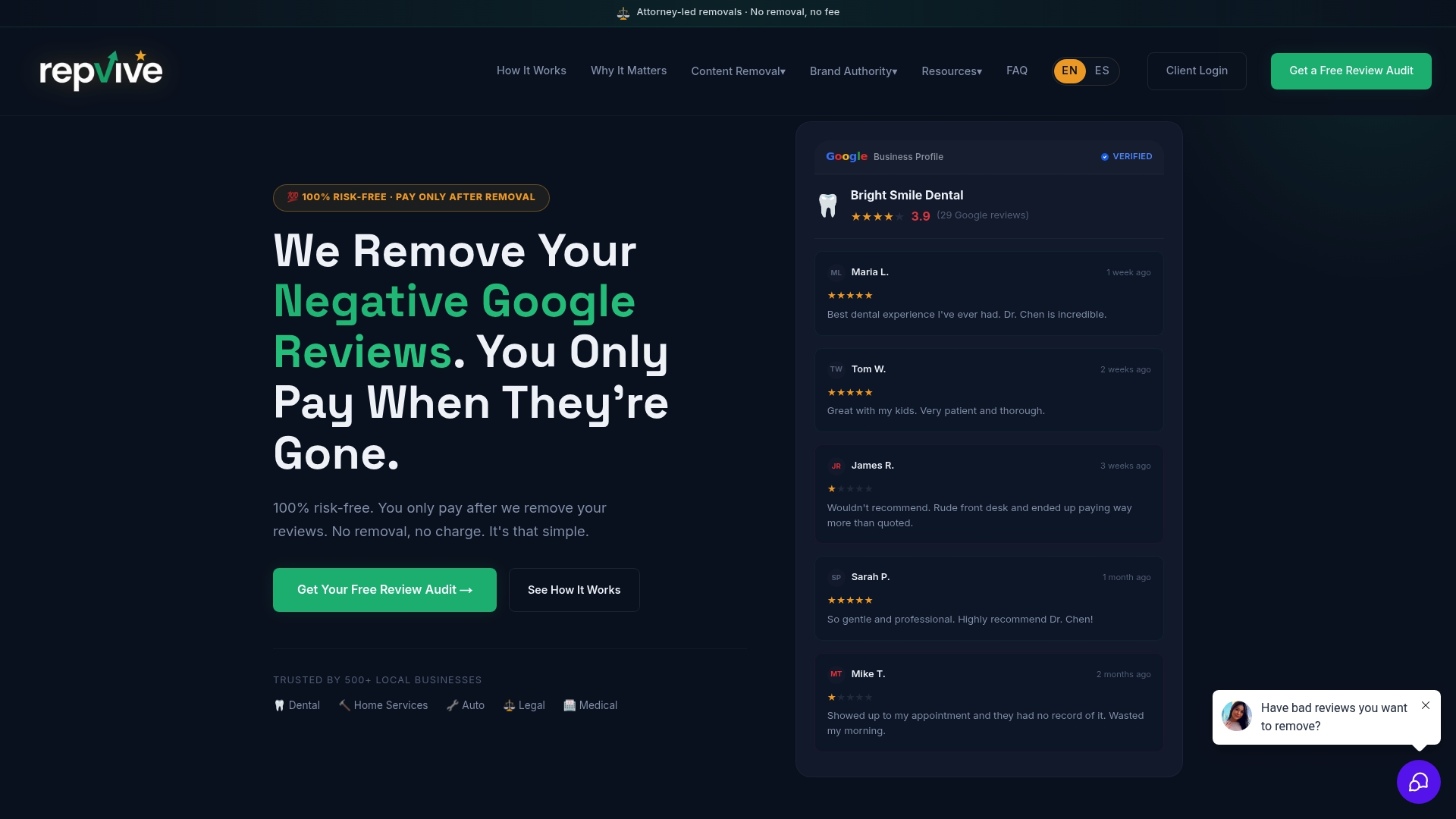
Repvive’s attorney-led team takes over at exactly that point. Each review gets a customized legal claim that maps the specific content to Google’s policy categories and applicable legal standards, then routes it through direct escalation rather than the public queue. The pay-per-removal model means the fee only applies after the review is confirmed gone — no upfront cost, no retainer, no guessing.
Before you reach out, pull together: the review URL, your screenshots with timestamps, any transaction records showing the reviewer was not your customer, and the case ID from your Reviews Management Tool attempts. That package cuts the intake process significantly.
Get a free case review at Repvive and find out whether your review qualifies for attorney-led removal.
Official links and further reading
The sources below are the authoritative references for every procedural step in this guide. Check them directly for the most current policy language, form fields, and status definitions.
- Report inappropriate reviews on your Business Profile — Google’s official help page covering which reviews qualify for removal, how automated spam detection works, and status definitions.
- Reviews Management Tool — Google’s dedicated portal for submitting reports, checking status, and filing a one-time appeal.
- Manage your Google Business reviews — Google’s workflow guide for the full review management process, including the “Check the status of an issue” step.
- Report or Fix Content — Maps User Generated Content Policy — the Maps-specific reporting path and what to expect after you flag a review.
- Manage customer reviews — Google Business Profile Help — covers verification requirements, reply permissions, and the flagging workflow.
For deeper reading on evidence preparation and legal escalation, the Repvive blog covers case-specific guides for industries including dental, legal, medical, and food service.
FAQ
Can a business owner delete a Google review themselves?
No. Business owners cannot delete reviews posted by others. You can flag a review for Google to evaluate, but removal is Google’s decision, based solely on whether the review violates its content policies.
Is there any way to get a Google review removed?
Yes — by reporting it through the Reviews Management Tool with evidence that maps the review to a specific Google policy violation. If that fails, a one-time appeal or attorney-led escalation are the next legitimate options.
Why are so many Google reviews being removed right now?
Google’s automated spam detection continuously sweeps for policy violations, including fake accounts, coordinated posting, and duplicate content. Reviews that trip those filters get removed without any action from the business owner.
How much does it cost to have a Google review removed?
Reporting through Google’s own tools is free. Third-party services vary widely; some charge flat fees regardless of outcome. Repvive uses a pay-per-removal model with no upfront fees, meaning you pay only after a review is confirmed removed.
How long does the GMB review removal process take?
Clear policy violations processed through the standard reporting path typically resolve in 2–14 days, with straightforward cases often handled within a week. Appeals and attorney-led escalations can take longer depending on case complexity.