Dispute Google Reviews: A Step-by-Step Guide for Business Owners
Dispute Google Reviews: A Step-by-Step Guide for Business Owners
TL;DR:
- You can dispute a Google review only if it violates Google’s content policies, such as containing spam, hate speech, or personal data exposure. Proper documentation, precise policy matching, and evidence-building are essential before flagging or appealing the review. If Google rejects the removal, legal escalation with an attorney-led approach is the most effective next step.
Yes, you can dispute a Google review — but Google won’t remove it just because it feels unfair or costs you customers. Removal only happens when a review violates Google’s Maps User-Generated Content Policy: spam, fake engagement, conflict of interest, hate speech, impersonation, or personal data exposure. That distinction matters more than anything else in this guide.
Your first move isn’t to hit “flag” in frustration. It’s to treat this as a documentation task.
- Document immediately: Screenshot the review, note the reviewer’s name, timestamp, and copy the review URL.
- Match it to a policy category: Spam or fake account? Conflict of interest (employee, competitor)? Profanity or hate speech? Impersonation? Personal data?
- Flag it in Google Business Profile once you’ve identified the best policy match.
- Save everything — screenshots, metadata, and any business records that contradict the review’s claims.
If the review is a harsh-but-real customer complaint, flagging won’t work. Plan to respond publicly and generate more positive reviews instead.
Pro Tip: Pick the single most accurate policy category when you flag. Vague or emotional reports get dismissed faster than precise ones.
Table of Contents
- How do you dispute a Google review step by step?
- What will Google actually remove?
- What evidence actually strengthens a Google review appeal?
- How long does a Google review dispute take?
- What should you say in a public reply, report, and appeal?
- What are your options if Google refuses to remove the review?
- Key Takeaways
- Why the attorney-led approach changes the outcome
- Repvive removes what Google’s standard process misses
- Useful sources
- FAQ
How do you dispute a Google review step by step?
Follow this checklist in order. Skipping steps, especially the documentation ones, is the most common reason disputes fail.
-
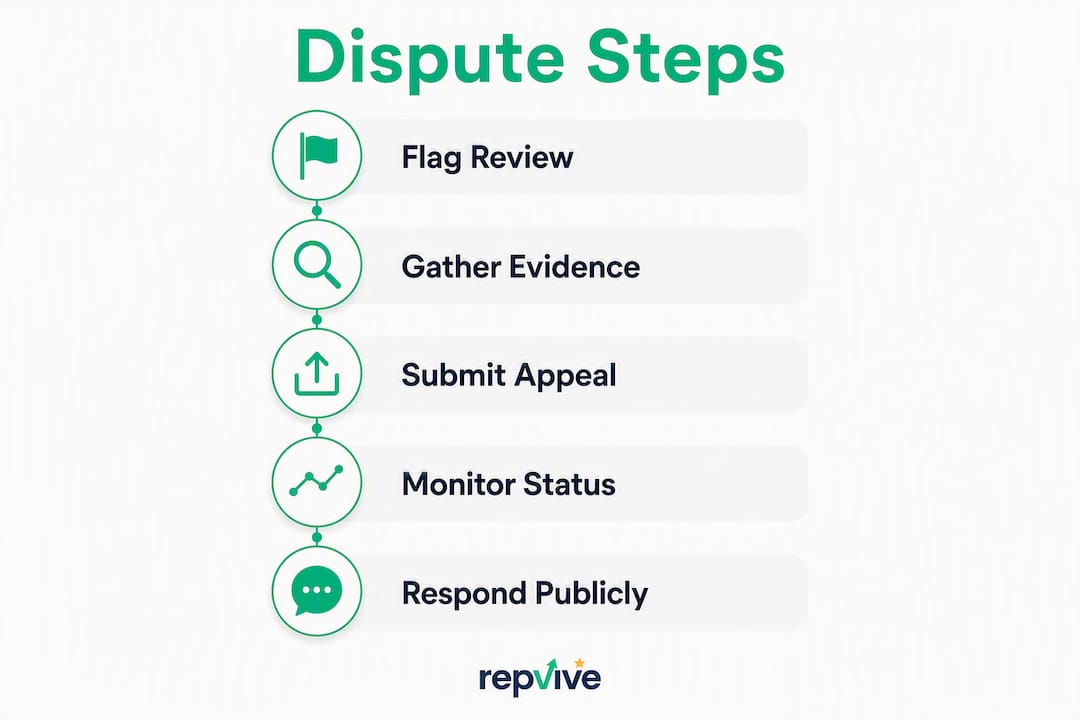
Pause and document. Screenshot the review at full resolution. Record the reviewer’s display name, the exact timestamp, and the review URL from your browser bar. Store these in a dedicated folder you can hand to legal counsel if needed.
-
Assess removability. Run the review text against Google’s nine policy categories. If it describes a real customer experience, even a brutal one, it almost certainly won’t be removed. If it reads like a fake account, a competitor hit, or contains personal data, you have a case.
-
Respond publicly if removal is uncertain or unlikely. A short, professional reply posted within 48 hours signals to every future reader that you’re engaged and reasonable. This step protects your reputation while the dispute plays out. Most consumers expect a response within 2–7 days, so aiming for the 48-hour mark demonstrates strong engagement.
-
Flag the review from your Google Business Profile dashboard or directly in Google Maps. Navigate to the review, click the three-dot menu, select “Report review,” and choose the most accurate policy reason from the list. Precision here matters.
-
Check the Reviews Management Tool. Google’s Reviews Management Tool shows the status of your report. Save the report ID. If Google returns a “no policy violation” decision, you have one appeal opportunity — use it.
-
Build your appeal with evidence. When you appeal, attach concise, clearly labeled documents. Map each item explicitly to the policy you’re claiming was violated. Google may prompt for evidence and requires submission within a short window after the initial flag, so have your files ready before you start.
-
Track and escalate. If there’s no decision after two weeks, re-open a check via the Help Center. If the appeal is rejected, prepare for legal escalation: a formal legal removal request to Google, an attorney-led service, or in serious defamation cases, civil litigation.
Clear policy violations often resolve in 2–14 days. More complex or legally ambiguous cases take longer.
Pro Tip: Name your evidence files descriptively (“2024-11-invoice-john-doe.pdf”) and include a one-page summary that maps each file to the specific policy clause. A moderator scanning your appeal for 30 seconds needs to see the connection immediately.

What will Google actually remove?
Google’s removal criteria are narrower than most owners hope. Here’s what qualifies:
- Spam or fake content: Accounts created solely to post reviews, bulk posting, or reviews that appear coordinated.
- Conflict of interest: A current or former employee reviewing their own workplace, or a competitor posting to damage your rating. This category is under-used but effective when backed by HR records, termination dates, or evidence of the reviewer’s affiliation.
- Impersonation: Someone posing as your business, a competitor, or a public figure.
- Restricted or illegal content: Reviews that promote illegal activity or violate platform rules.
- Hate speech or harassment: Slurs, threats, or targeted personal attacks.
- Personal data or privacy violations: Reviews that expose someone’s address, phone number, or other private information.
- Sexually explicit content: Self-explanatory.
- Off-topic content: Reviews clearly about a different business or unrelated to any transaction.
- Advertising or self-promotion: Reviews that are really just ads.
What Google will not remove: a one-star review that describes a real experience, even if the customer exaggerated or was unreasonable. Opinions are protected. Harsh-but-true complaints stay up. If the review can be read as a truthful account of an interaction, your path forward is a public reply and a proactive push for new positive reviews, not repeated flagging.
For a detailed breakdown of each category with real examples, Repvive’s guide on policy-violating reviews is worth reading before you file.
What evidence actually strengthens a Google review appeal?
Moderators review appeals quickly. Concise, well-labeled documentation consistently outperforms long emotional narratives.
- Reviewer activity screenshots: — If the reviewer has left negative reviews for multiple competitors in a short window, capture that pattern. It supports a spam or conflict-of-interest claim.
For impersonation or doxxing cases, a court order or attorney letter changes the outcome significantly. Google’s legal removal process responds to formal legal documentation in ways that standard flags do not.
Pro Tip: Lead your appeal submission with a single paragraph that states: “This review violates [exact policy name] because [one-sentence factual reason]. Supporting documents are attached.” Moderators scan appeals quickly — provide a one-paragraph policy mapping at the top and attach redacted supporting documents below it.

How long does a Google review dispute take?
Set realistic expectations before you start. A typical initial review takes a few business days. Reviews that clearly match a policy category often resolve within 2–14 days.
- Standard flags: A few business days for an initial decision.
- Appeals: After a “no violation” decision, you get one appeal. The evidence upload window opens after submission — don’t wait to gather files.
- Legal removal requests: Formal legal submissions (defamation, privacy, impersonation) take longer and require attorney involvement or a court order to move Google’s legal team.
- Complex cases: Ambiguous policy matches or insufficient evidence extend timelines significantly. There’s no guaranteed second chance after a rejected appeal.
One warning worth repeating: filing multiple rapid reports on the same review, or using false DMCA claims, can trigger platform penalties that harm your Google Business Profile. Legitimate escalation follows platform rules.
What should you say in a public reply, report, and appeal?
Public reply template
Keep it under three sentences. Never argue facts publicly, and never name the reviewer. The goal is to show future customers you’re professional, not to win a debate.
Report wording (inside Google’s flag form)
Appeal wording
Keep it factual and cite the exact policy language. Attach evidence with filenames that match what you reference in the text. Avoid emotional language, accusations, or threats. Never offer payment for removal — that violates Google’s policies and can result in your profile being penalized.
Dos and don’ts:
- Do keep a chain-of-custody record of every action and timestamp.
- Do be concise — one paragraph of policy mapping, then evidence.
- Don’t threaten the reviewer publicly or privately.
- Don’t mass-report the same review repeatedly.
- Don’t invent facts or exaggerate the reviewer’s identity.
For defamatory reviews specifically, Repvive’s guide on responding to defamatory reviews covers the legal nuances in more detail.
What are your options if Google refuses to remove the review?
A rejected flag isn’t the end. Here are the realistic escalation paths, in order of effort:
- Re-check via the Help Center and Reviews Management Tool. If new evidence has emerged since your first report, include it. A fresh submission with stronger documentation sometimes produces a different outcome.
- Google’s legal removal forms. For defamation, personal data exposure, or impersonation, Google offers formal legal takedown channels. A court order or attorney letter dramatically increases the odds of action.
- Small claims or civil defamation suit. The bar in the U.S. is high: you need a false statement of fact (not opinion), published to a third party, that caused measurable harm. Consult a lawyer before filing — a poorly constructed defamation claim can backfire.
- Attorney-led removal services. These differ from generic “reputation management” vendors because they build customized legal claims for each review, use direct channels to Google, and package evidence in formats that match platform and legal standards. Repvive’s attorney-led removal service operates on a pay-per-removal model with no upfront fees, and includes a free Google Business Profile audit to evaluate which reviews are actionable.
Pro Tip: Avoid any vendor that promises removal through mass-reporting or DMCA filings for non-copyrighted content. Those tactics can get your listing flagged and are explicitly prohibited. Legitimate services prove a specific policy breach or legal claim — nothing more.
Some law firms managing their own reputation may also find value in pairing removal efforts with a stronger web presence; attorney website design errors can compound the damage a negative review causes.
Key Takeaways
Disputing a Google review successfully requires matching the review to a specific policy violation, building documented evidence, and escalating through the right channels when Google’s initial decision goes against you.
| Point | Details |
|---|---|
| Policy match is everything | Google only removes reviews that violate its Maps User-Generated Content Policy, not reviews that feel unfair. |
| Evidence packaging wins appeals | A one-paragraph policy mapping plus clearly named supporting files gives moderators what they need to act quickly. |
| Timeline: 2–14 days for clear cases | Standard flags resolve in a few business days; clear violations often close within 2–14 days. Most consumers expect a response to public replies within 2–7 days, so a prompt reply (ideally within 48 hours) enhances your reputation. |
| Rejected appeals need escalation | Legal removal requests, court orders, or attorney-led services are the realistic next step after a failed appeal. |
| Repvive’s attorney-led approach | Repvive builds customized legal claims per review with no upfront fees. |
Why the attorney-led approach changes the outcome
Most business owners treat a Google review dispute as a customer service problem. It isn’t. Once Google’s automated system rejects your flag, you’re in a documentation and legal argument problem — and that’s where generic reputation management falls short.
Attorney involvement changes the framing of the submission. A customized legal claim maps the review to a specific policy breach or legal standard, uses language that Google’s legal and trust teams recognize, and packages evidence in a format that holds up to scrutiny. That’s different from a business owner writing an emotional appeal at midnight.
Repvive’s approach avoids mass-reporting and false DMCA filings entirely. Every removal attempt is built on a provable policy or legal claim. The pay-per-removal model means you only pay when a review actually comes down — which is the only outcome that matters.
Repvive removes what Google’s standard process misses
When the standard dispute process fails, most businesses either give up or hire a generic vendor that uses the same tactics Google already rejected. Neither works.
Repvive’s attorney-led team builds a customized claim for each review, using direct channels and legal framing that generic tools can’t replicate. There are no upfront fees. You pay only when the review is removed. RepWatch monitors your profile for new threats in real time, and RepBoost helps you collect verified positive reviews to rebuild your rating while removal is in progress.
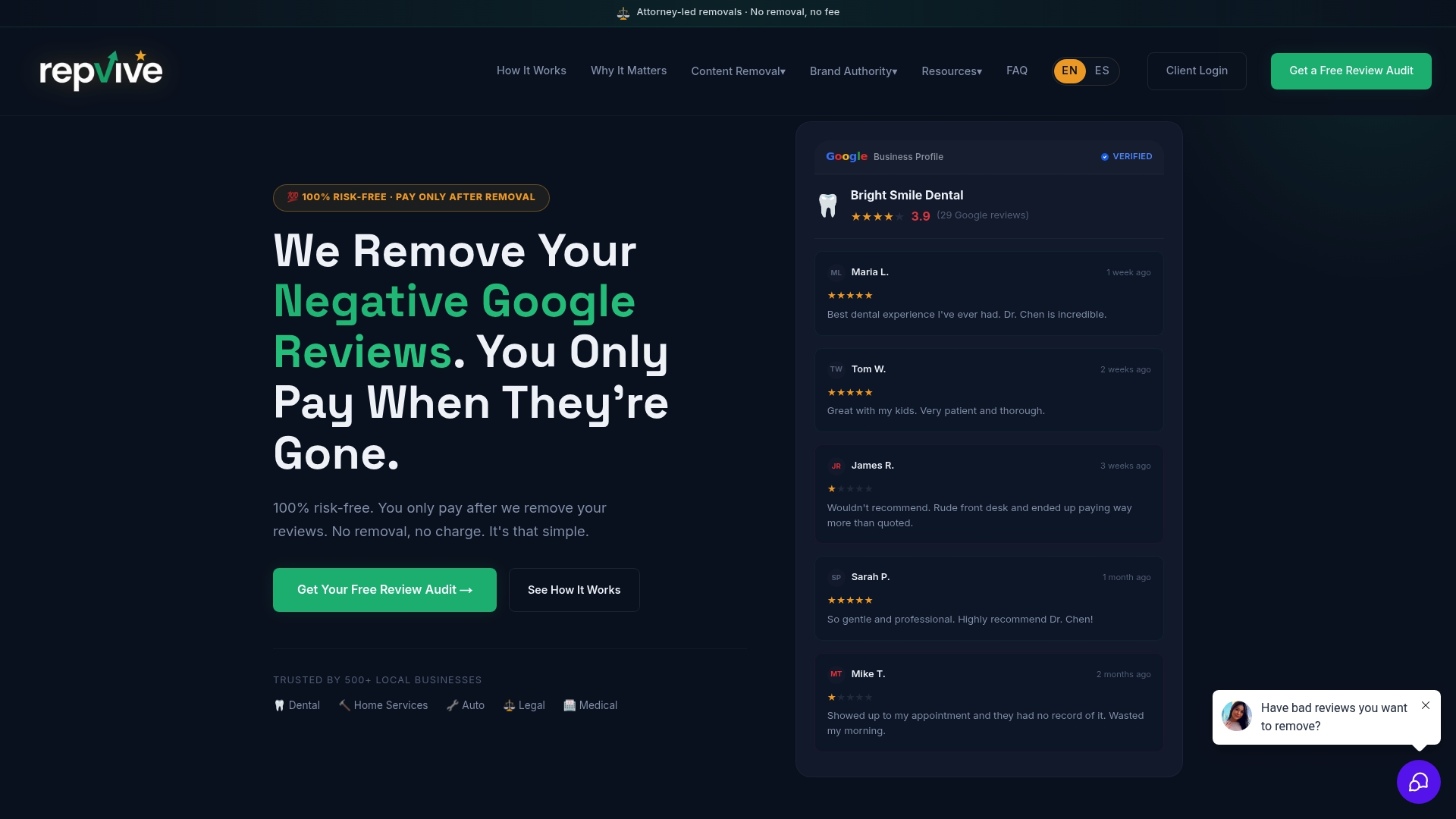
Start with a free Google Business Profile audit to find out which of your reviews are actionable, which require legal escalation, and what your profile’s current exposure looks like. The audit is free, takes minutes to request, and gives you a clear picture of where you stand before spending anything.
Useful sources
These are the primary sources to consult for current policy language, forms, and procedural details. Google updates its tools periodically, so check these pages directly before filing.
- Google Business Profile Help: Report inappropriate reviews — the official policy categories and flagging instructions.
- Google Business Profile Help: Appeal content and profile restrictions — appeal procedures, evidence windows, and status tracking.
- Google Legal Removal Requests — formal legal takedown forms for defamation, privacy, and impersonation cases.
- Local U — independent research and practitioner analysis on Google Business Profile and local search.
- Repvive Reputation Management Blog — guides on policy categories, response templates, and attorney-led removal strategies for U.S. local businesses.
Disclaimer: This article is general information, not legal advice. Google’s policies and tools change regularly — confirm current procedures at the official Google Business Profile Help Center or consult a qualified attorney for your specific situation.
FAQ
Can you get an unfair Google review removed?
Only if it violates Google’s Maps User-Generated Content Policy. A review that’s harsh, exaggerated, or feels unfair but describes a real experience won’t qualify for removal — Google protects truthful customer opinions.
How do I contact Google about a false review?
Flag the review through your Google Business Profile dashboard or Google Maps, then monitor the status in the Reviews Management Tool. For legal issues like defamation or impersonation, use Google’s formal legal removal form.
How long does a Google review dispute take?
Most standard flags receive an initial decision within a few business days. Clear policy violations often resolve within 2–14 days. Legal removal requests and appeals involving complex evidence take longer.
How should I respond to a damaging Google review?
Reply within 48 hours with a brief, professional message that acknowledges the concern and invites offline resolution. Keep it under three sentences, avoid arguing facts publicly, and never name the reviewer. A calm response protects your reputation with future customers while the dispute is pending.
When should I use an attorney-led service like Repvive?
When Google has rejected your flag or appeal and the review contains false statements, conflict-of-interest evidence, or legally actionable content. Repvive’s pay-per-removal model means no upfront cost, and the attorney-led process builds a customized claim rather than relying on generic mass-reporting tactics.